
In the previous tutorial we saw how to test APIs with Swagger. This time we will do the same exercises, but using Postman. Before starting I go over the same introduction as the previous post to refresh the theory on APIs (if you already read it, you can jump straight to the Postman part).
What is an API?
API is short for Application Programming Interface. In short, it is used to let two applications communicate through a set of rules.
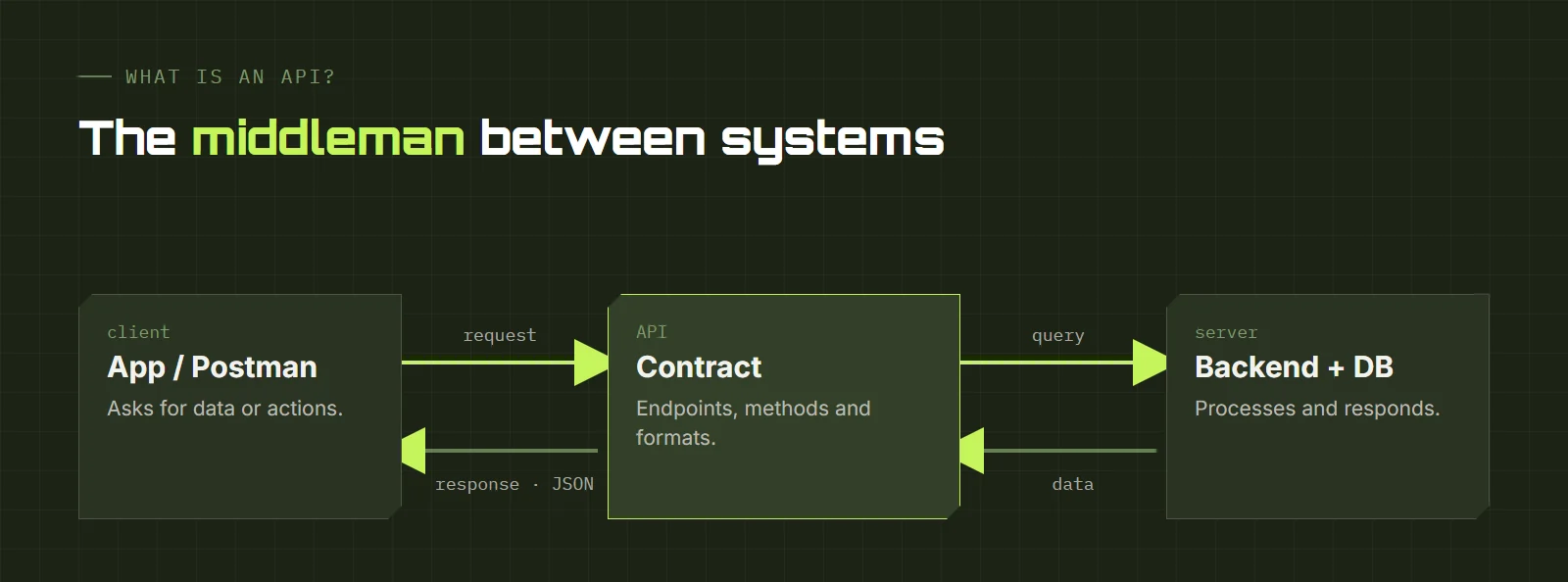
That communication defines how one software module interacts with another to perform one or many functions, depending on the permissions the API owner grants to third-party developers.
For the end user, all you ever see of an API are its results. An example: when a mobile or web app lets us sign in with our Facebook or Google account, that app is connecting to those companies' APIs to get our session data.
APIs can be private for a company's internal use, open only to partners, or public so that any developer can interact with them. It is also very common to see local APIs that let applications communicate within the same environment.
What is an API for?
One of its main functions is to make developers' work easier and save time and money. Suppose we are asked to build an online store with a website and a mobile app. It would have a structure like this:
- Web version of the store (responsive, accessible from a PC or a phone)
- Mobile version (to install on the phone)
- Database to store the products
- Payment module
When a user visits the website and buys 2 of 10 phones, the system should deduct them from stock, leaving 8. If we open the mobile app and check that product, we should see 8, not 10.
All of that connection is achieved through APIs: both platforms consume the same backend and the developer does not have to write one piece of code for the web and another for mobile (this is an example of a local API).
On the other hand, for the payment module we can use existing APIs from payment gateways such as MercadoPago or PayPal, without building anything from scratch (this is an example of an external API, because we interact with an API we did not create).
What are endpoints and methods?
Endpoints are an API's URLs, and each endpoint can have several methods: the ways we can interact with it. The most common are:
- POST
- Create a new resource.
- PUT
- Modify an existing resource.
- GET
- Retrieve information about a resource.
- DELETE
- Delete a given resource.
- PATCH
- Modify only one attribute of a resource.
With the store example: with POST we create a product, with PUT we modify it, with GET we retrieve all products or a specific one, with DELETE we remove it and with PATCH we modify one attribute.
What is Postman?
Postman is a client for managing requests to APIs. It is a very complete and widely used tool, and its biggest advantage is that it lets you create automated tests. Today there is also a web version and a desktop version with synced collections, and we can share our collections with the team, which makes it our new best friend.
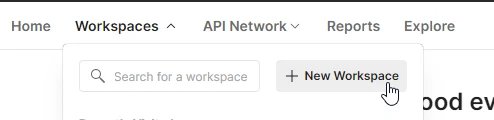
To get started, we download Postman from postman.com/downloads. We open the app and go to Workspaces → New Workspace.
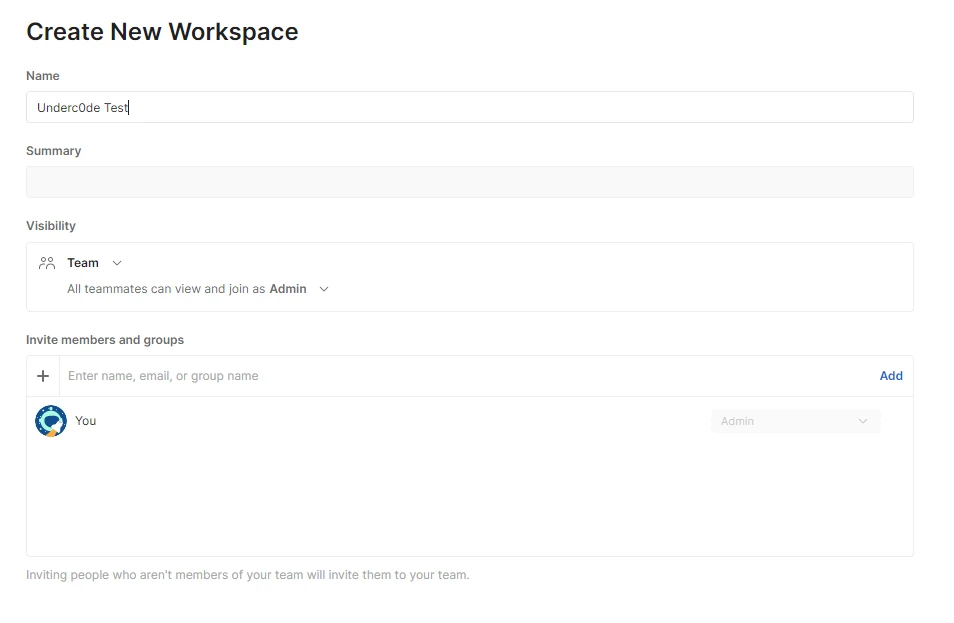
We give it a name and create it. Here we can invite teammates to view and collaborate in the workspace.
Once it is created, we need to create a collection: basically, the set of requests an endpoint will have. I will use the same API as in the previous post: petstore.swagger.io.
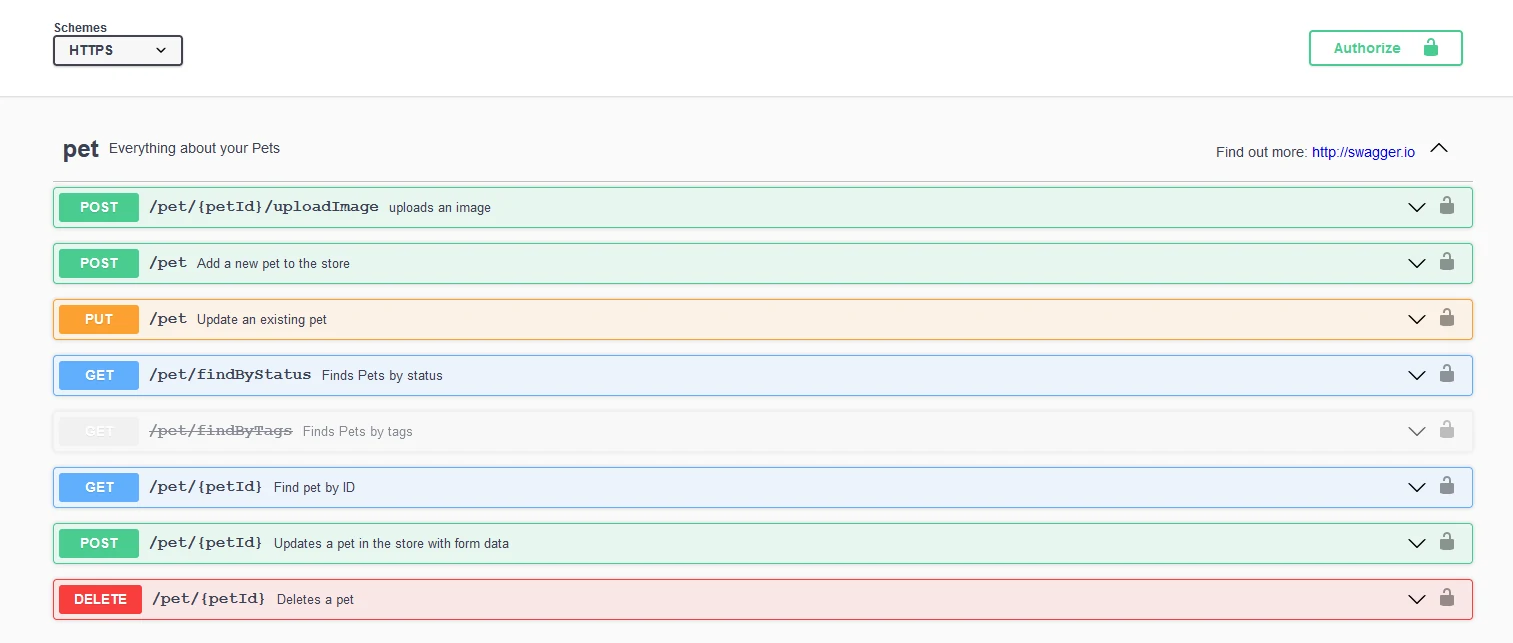
This collection will be used to test the main methods of the endpoint pet.
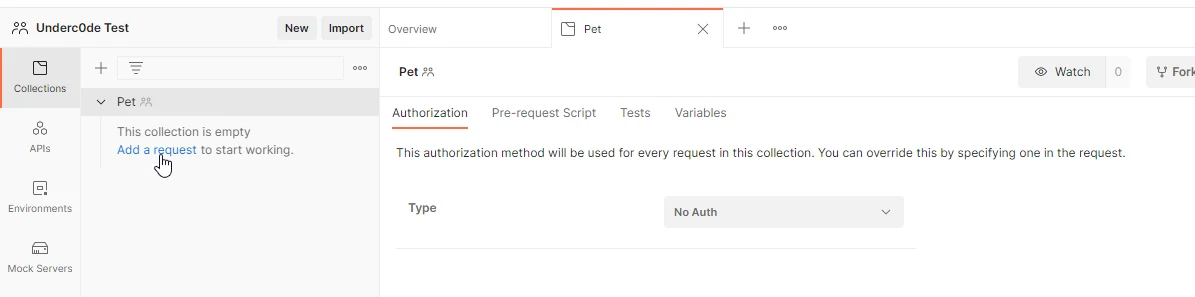
With the collection created, we add requests: one for each method we want to test. The first will be the GET to list all pets by status. We go to Swagger and check which URL the request should go to.
GET method example (list)
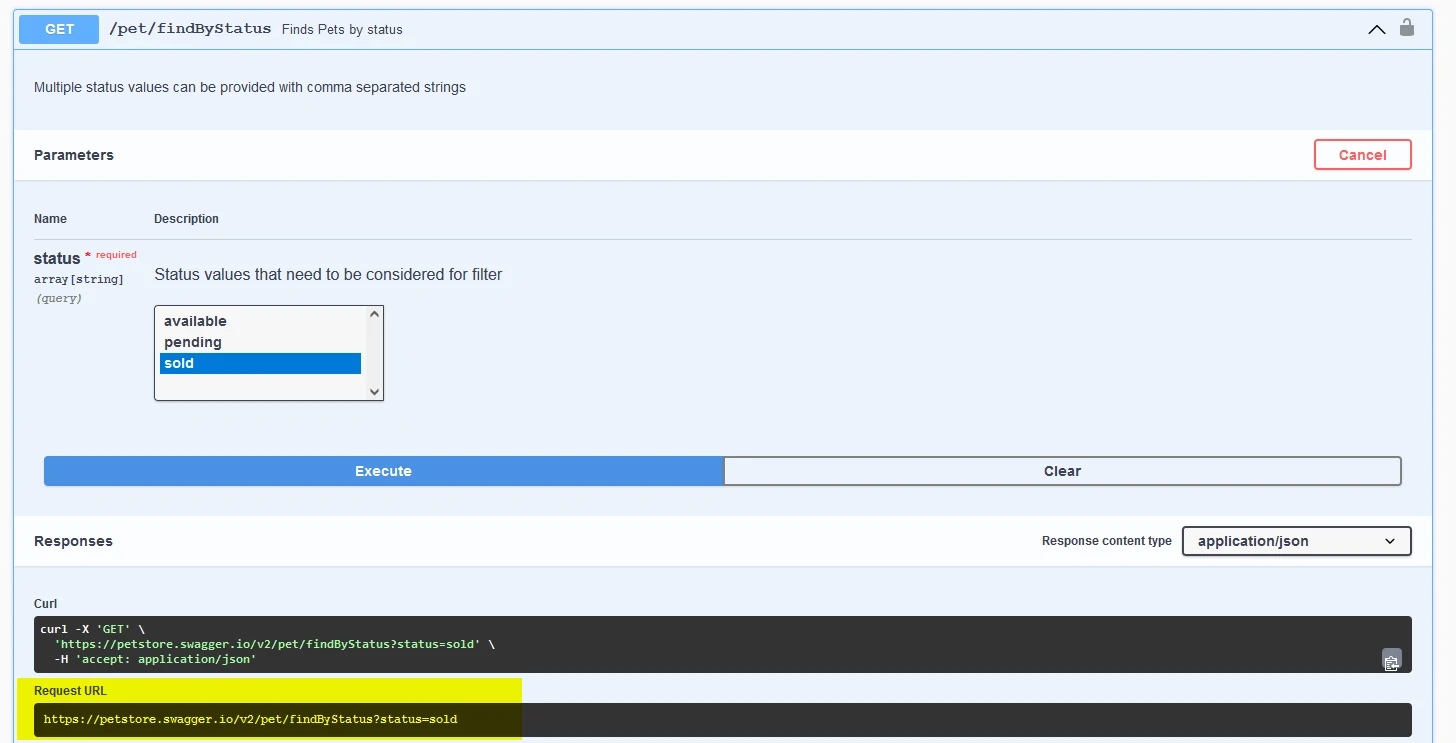
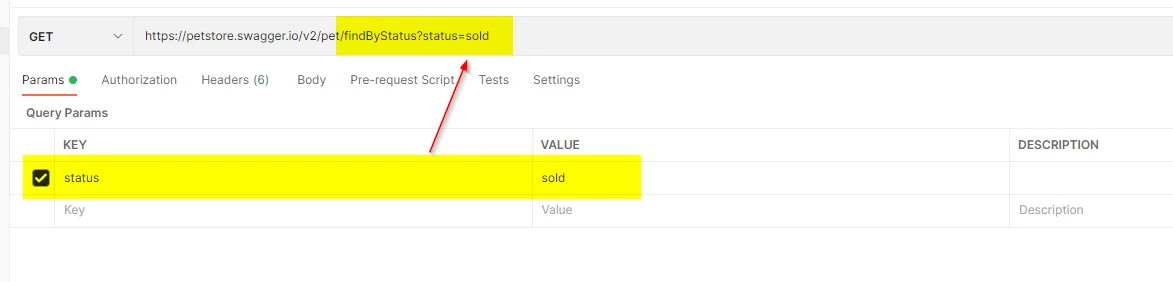
That same URL is the one we put in the Postman GET.
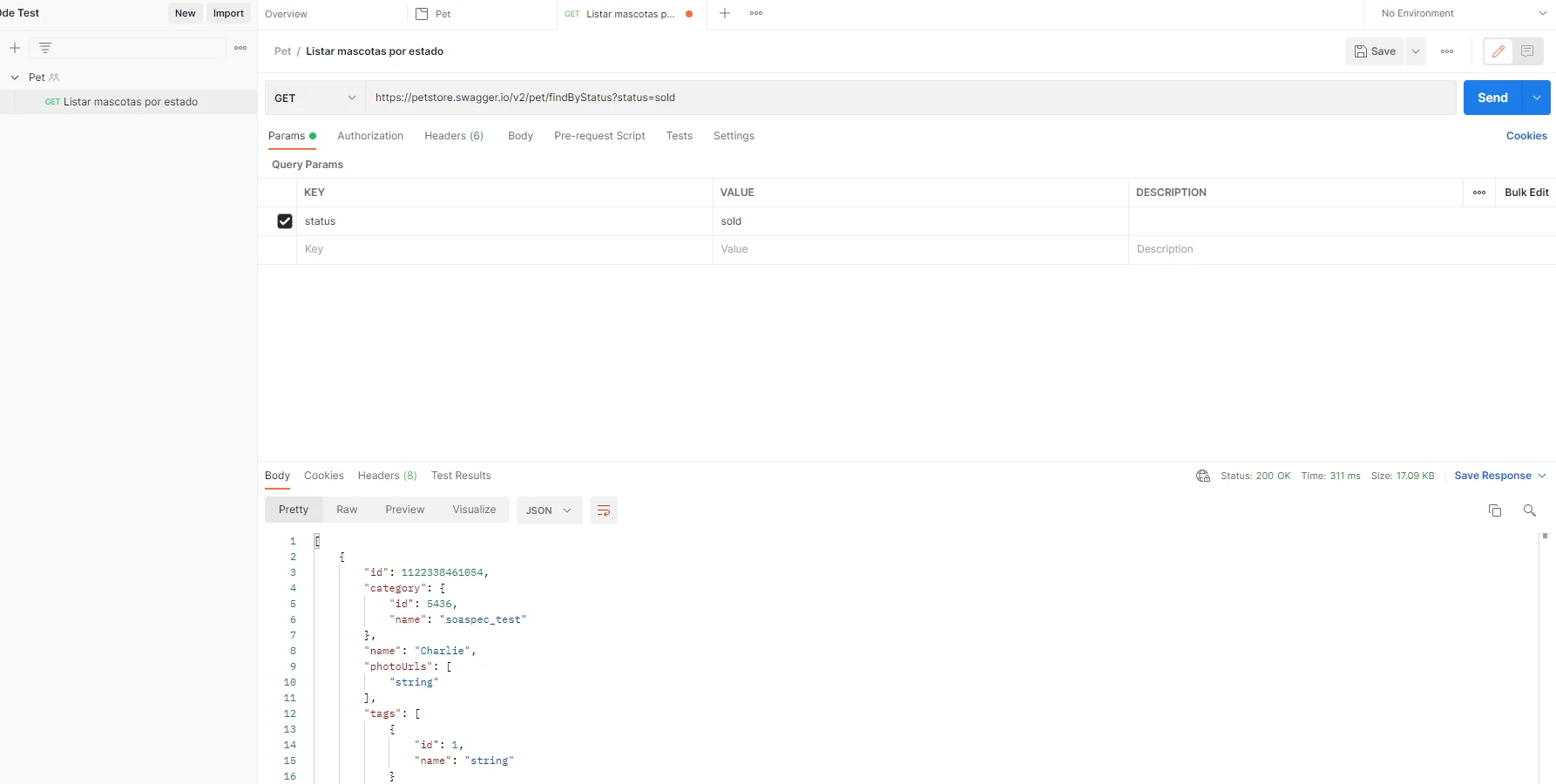
When we click Send we see the results returned by the request.
A note: for this GET we must specify the status (available, sold or pending). Swagger lets us select it from the web interface, but in Postman we have to pass it as a parameter. Postman adds it to the URL automatically; and if we type it in the URL, it is automatically added as a parameter.
POST method example (create)
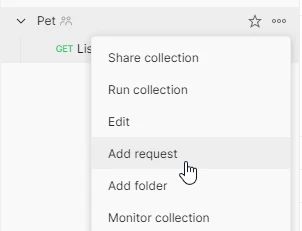
To add a new request we go to the collection's three-dot menu and click Add Request.
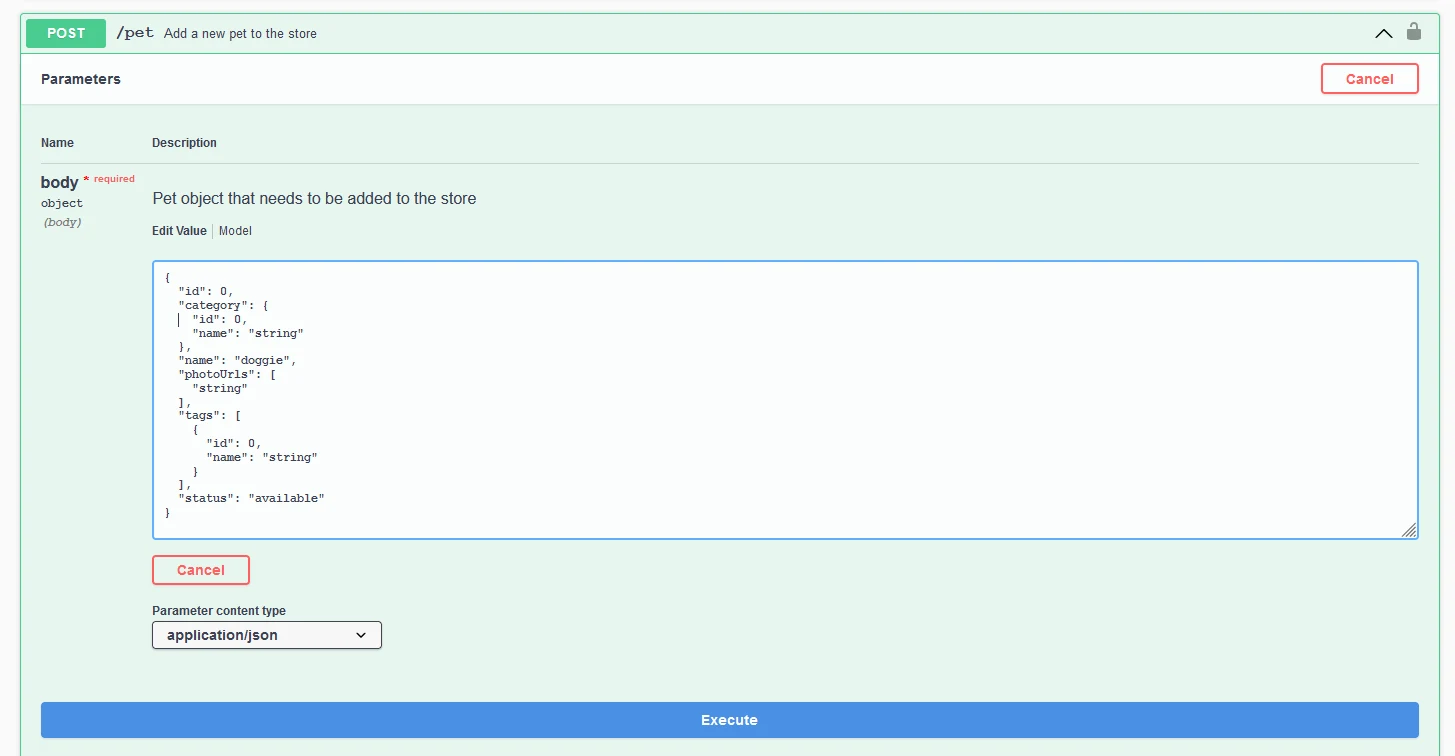
For the POST method we must send a body exactly as the Swagger documentation indicates.
We copy that body and paste it into the Postman body. We need to select the raw option and set the type to JSON.
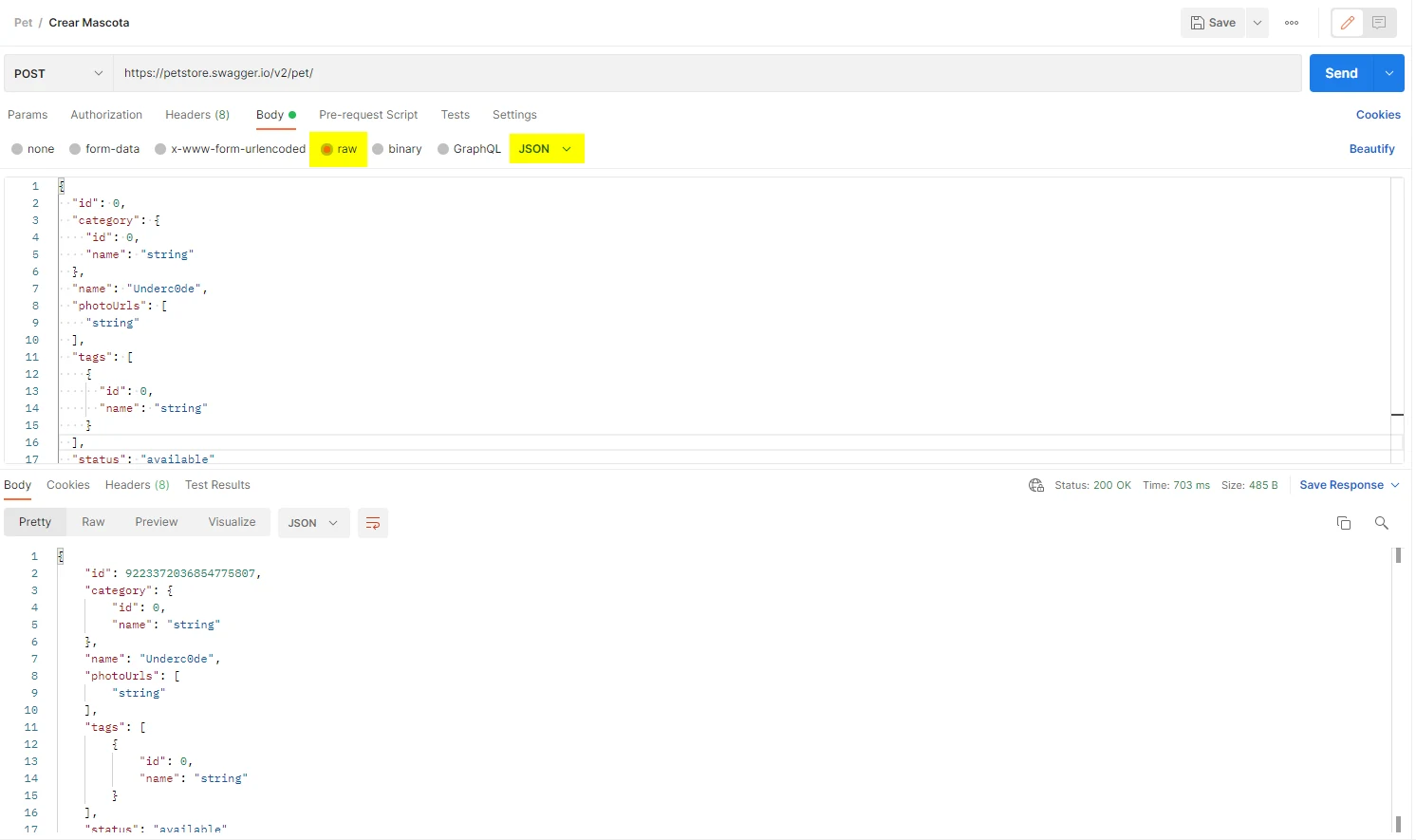
When we click Send, it returns a response with status 200, which means it was created successfully.
PUT method example (update)
Very similar to the previous one: we put the JSON with the changes in the body. For this method it is essential to specify the pet's ID so the API knows which one to modify.
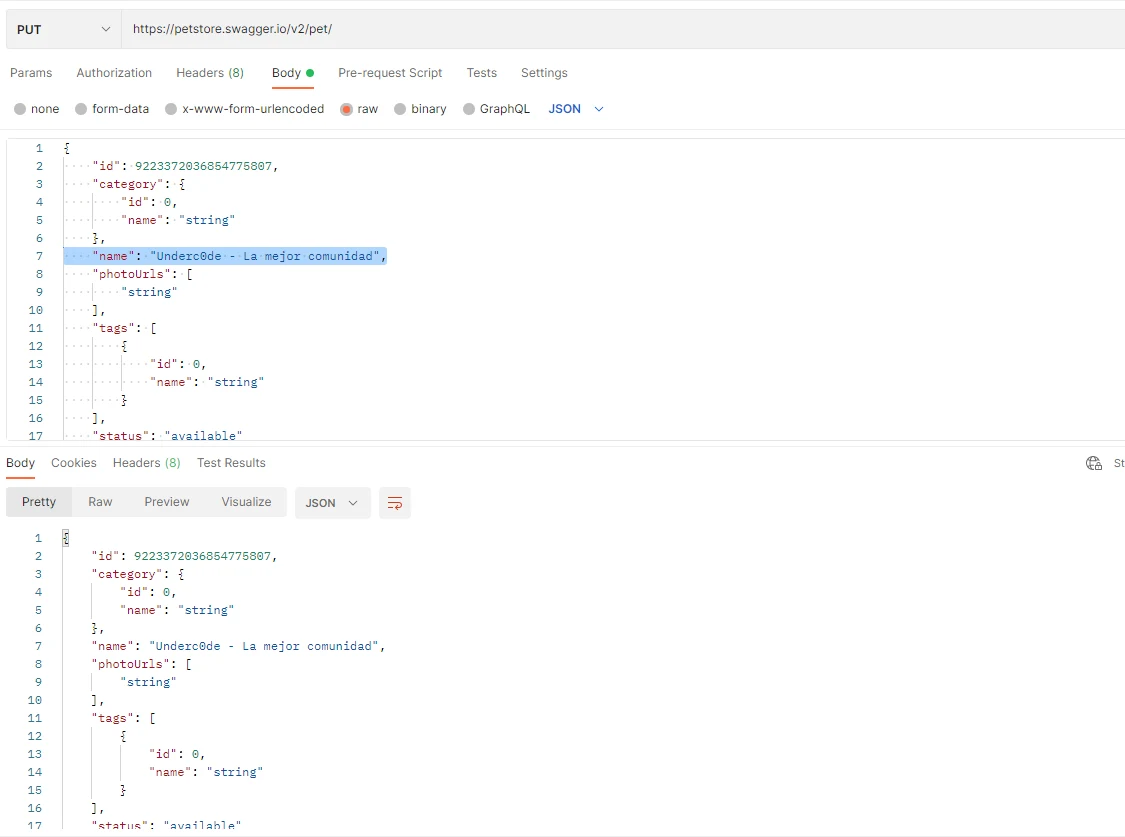
When we click Send the request is sent and the change is applied. In this case I updated the name of the pet we created earlier.
DELETE method example (delete)
With this last method we delete a pet. To do so we put its ID in the request URL.
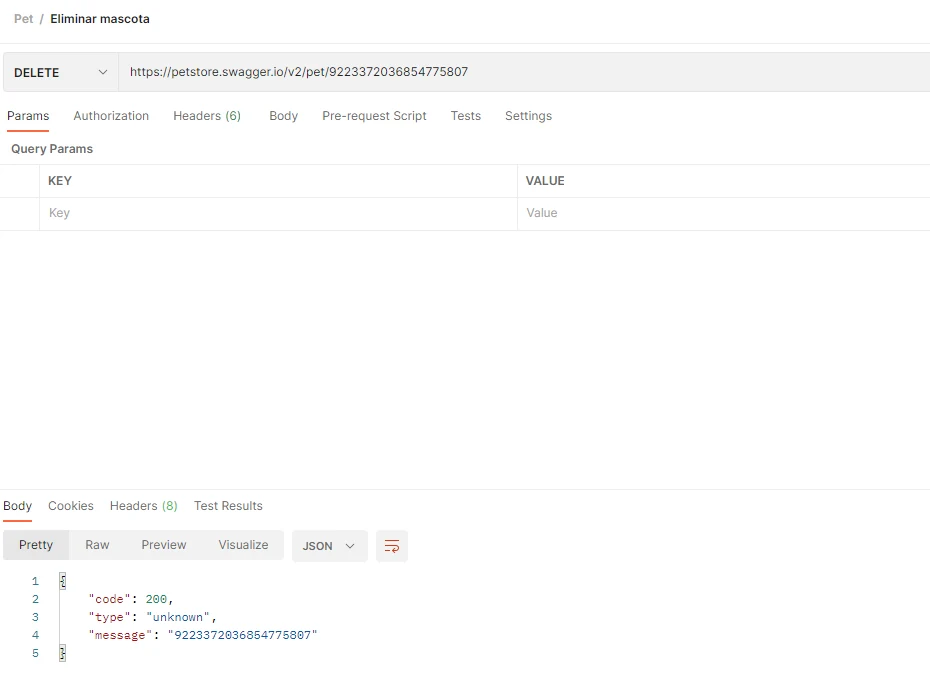
When we press Send, the pet with that ID is deleted.