
Before diving into the world of Swagger, let's briefly review what an API is and what it is for.
What is an API?
The term API is short for Application Programming Interface. In short, it is used to let two applications communicate through a set of rules.
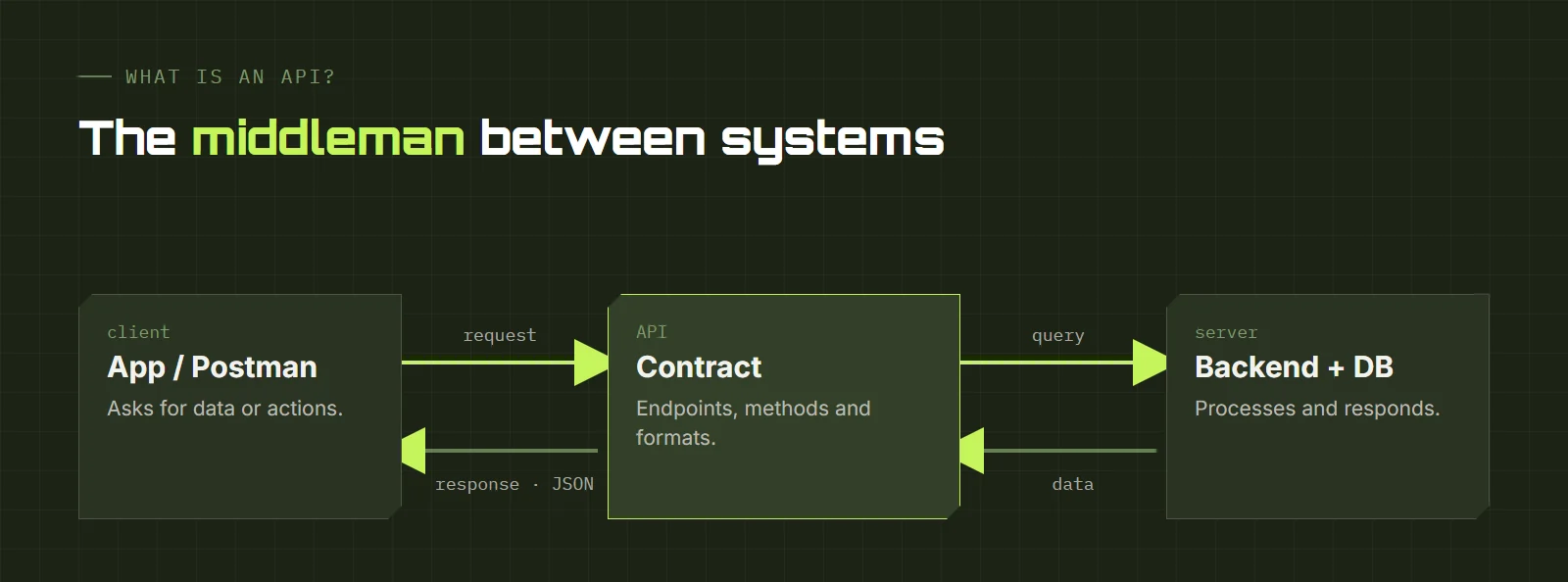
That communication defines how one software module interacts with another to perform one or many functions, depending on the permissions the API owner grants to third-party developers.
For the end user, all you ever see of an API are its results. For example, when an app lets us sign in with Facebook or Google, it is connecting to those companies' APIs to get our session data.
APIs can be private, open only to partners, or public. It is also common to see local APIs that let applications communicate within the same environment.
What is an API for?
One of its main functions is to make developers' work easier and save time and money. Suppose we are asked to build an online store with a website and a mobile app:
- Web version of the store (responsive)
- Mobile version
- Product database
- Payment module
When a user buys 2 of 10 phones on the website, the stock drops to 8, and the app should show 8, not 10. That connection is achieved with APIs: both platforms consume the same backend (a local API). And for the payment module we can use existing APIs from MercadoPago, PayPal or similar without building anything from scratch (an external API).
What are endpoints and methods?
Endpoints are an API's URLs, and each one can have several methods: the ways of interacting with it.
- POST
- Create a new resource.
- PUT
- Modify an existing resource.
- GET
- Retrieve information about a resource.
- DELETE
- Delete a given resource.
- PATCH
- Modify only one attribute of a resource.
What is Swagger?
Today there is no single standardized way to write an API: each programmer can build it as they like. But what happens when another programmer comes along and wants to use it, or a QA wants to test it?
That is where Swagger comes in. It was created to solve that problem: its goal is to standardize the vocabulary APIs use, like a kind of dictionary. When we talk about Swagger we mean a set of rules, specifications and tools that help document APIs in a way everyone can understand.
Several platforms do the same, but Swagger is the best known and has a good interface, Swagger UI, which not only shows endpoints and methods but also lets you test them. Enough theory, let's test!
For this workshop I use a URL I usually bring to my training sessions: petstore.swagger.io, a sample pet store with several endpoints and methods to practice with.
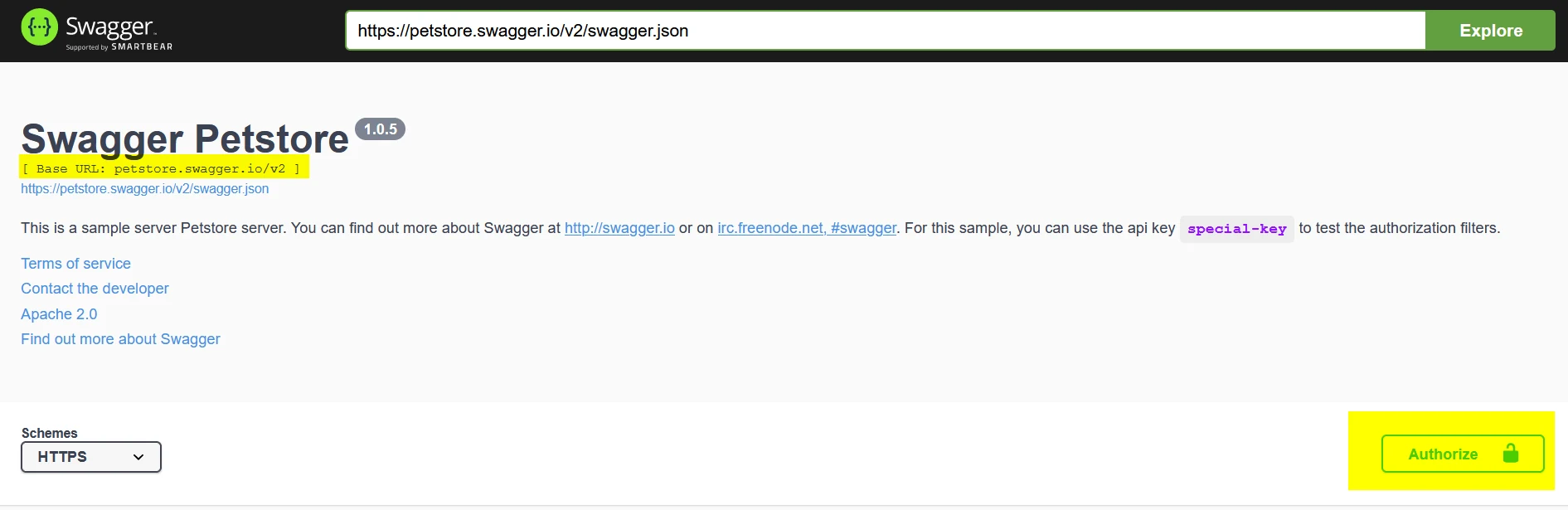
At the top of Swagger UI we find the base URL, which matters if we later want to use these same methods in Postman. The other thing to look at is the Authorizebutton. This Petstore needs no authentication, but many APIs do.
If you are a QA and need to authenticate, it is best to ask the developer how to do it, since there is no single correct way to build an API: authentication can use a username and password, a token, and so on.
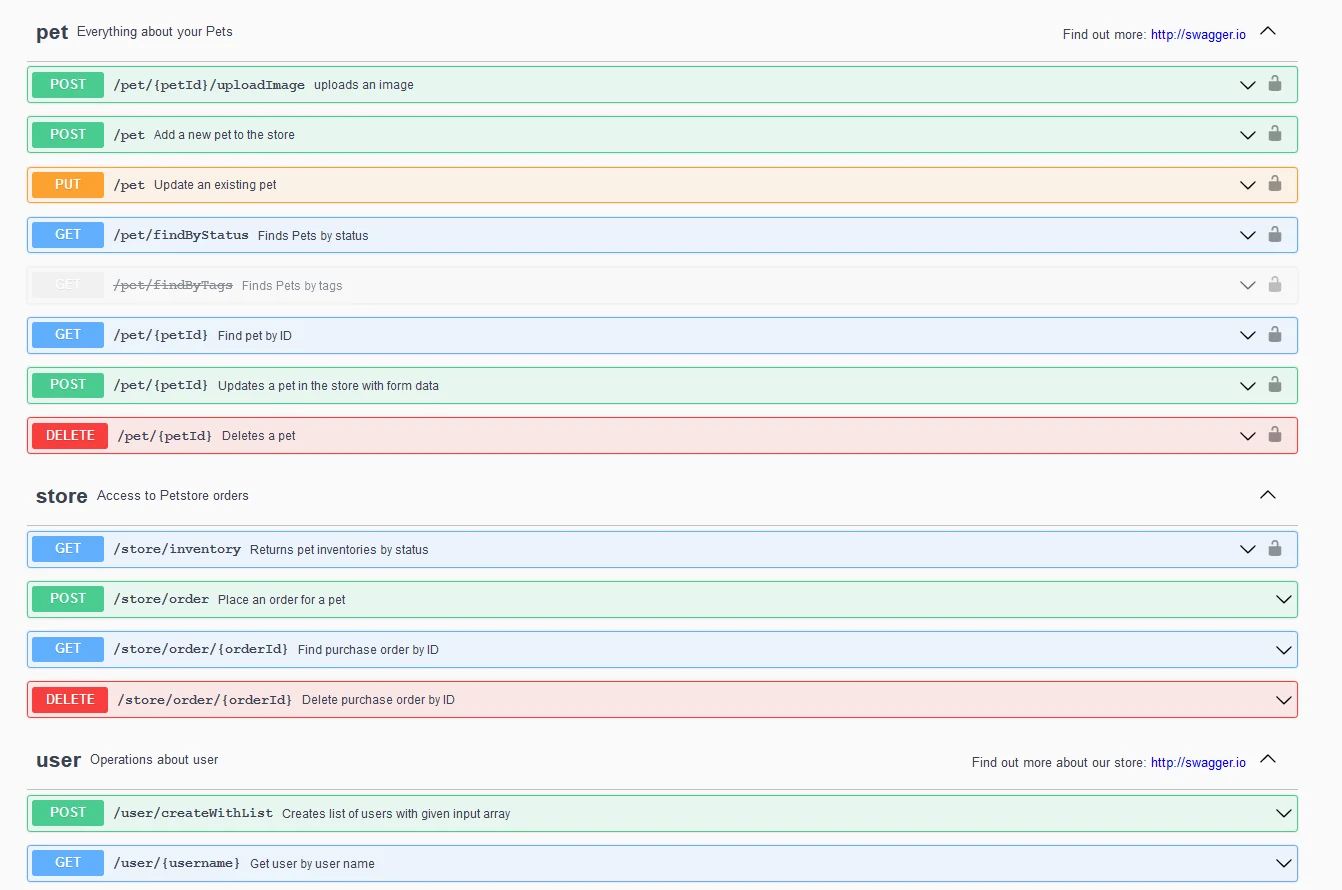
Next come all the system's endpoints and the methods for each one: what we can do with each endpoint.
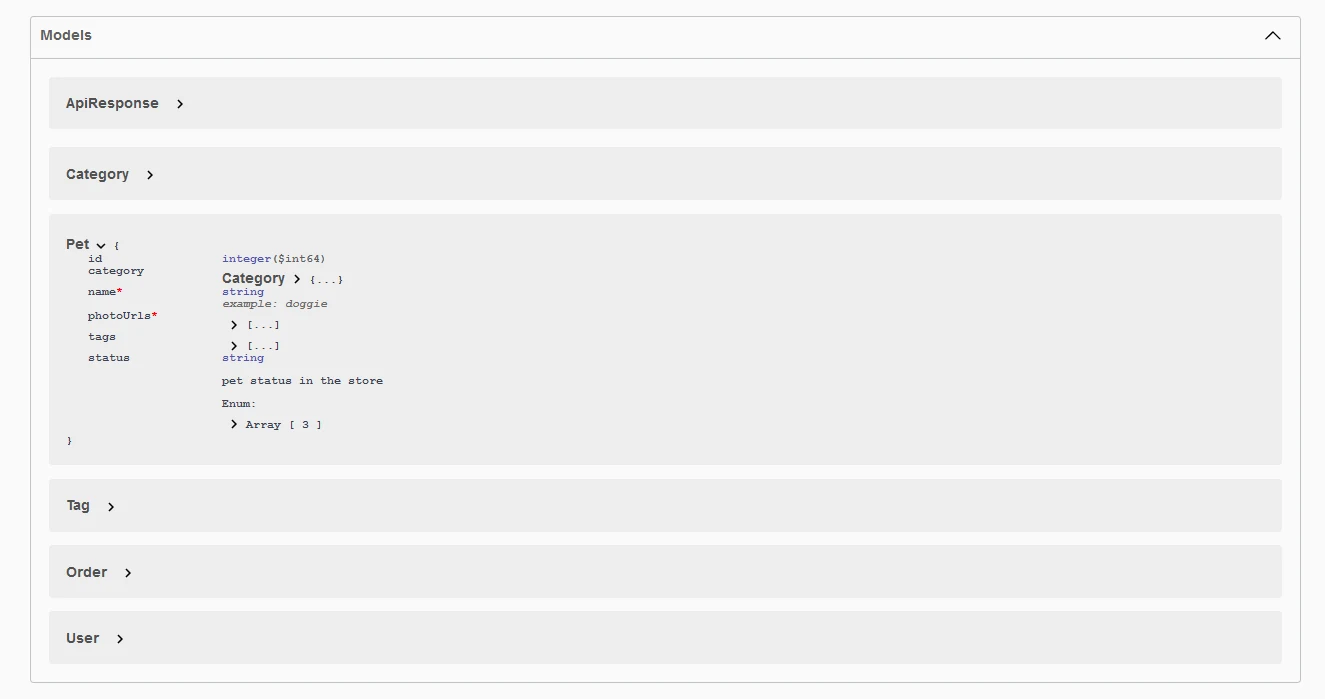
Finally there are the models, which show the structure and the data types each JSON must have.
Before we start, a note: to use the methods from Swagger UI you need to click Try it out; otherwise the fields are locked.
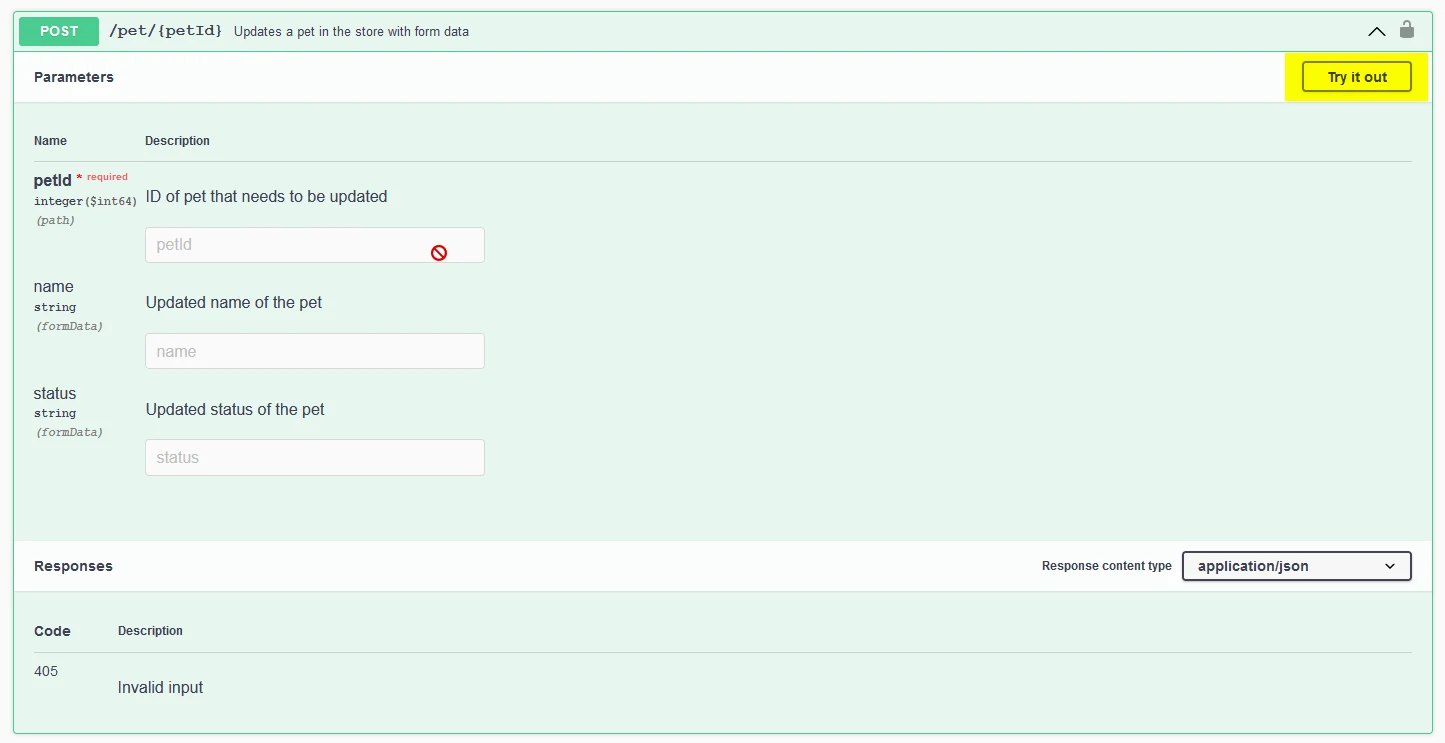
POST (create a new pet)
To send a POST we must check how the model is built, because we need to respect the same structure and data types (string, integer, boolean…). With the JSON complete, we click the blue Execute.
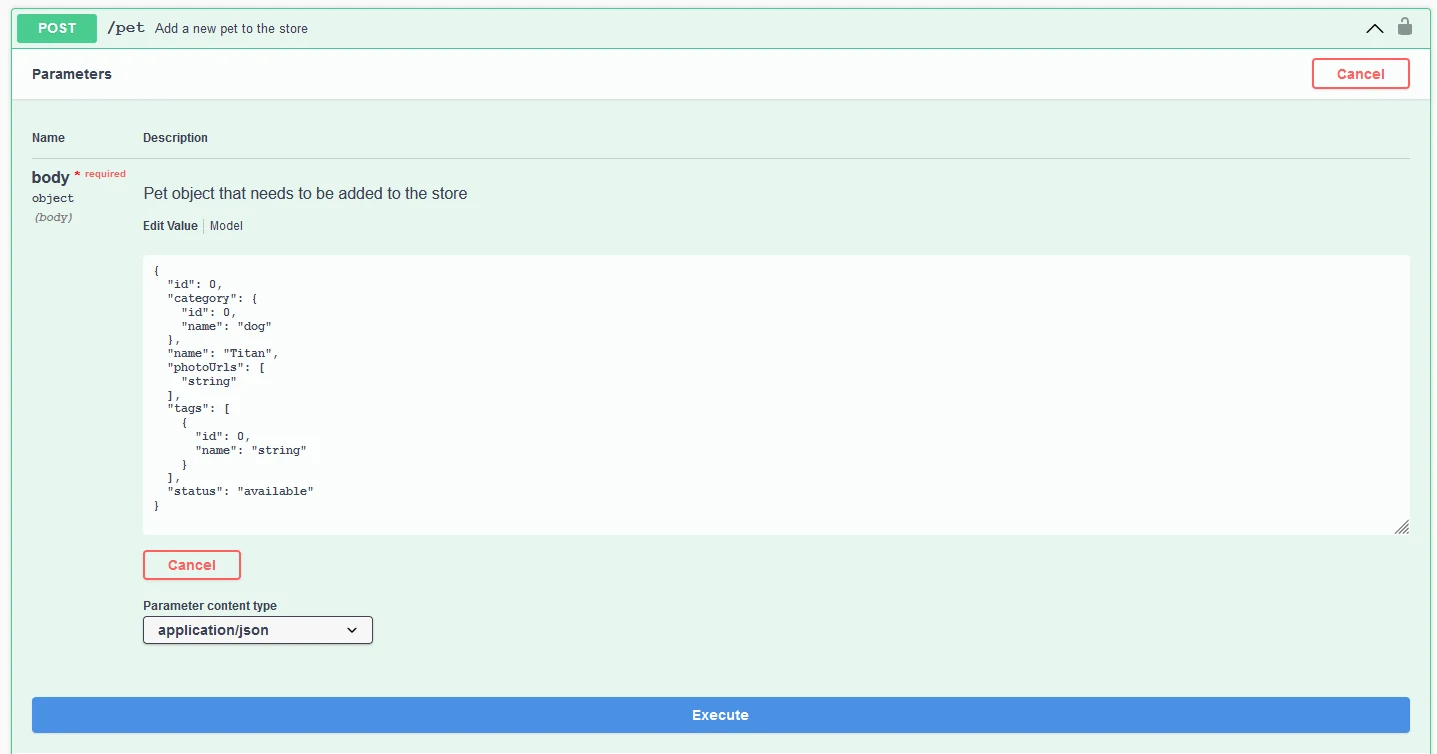
What we do is send a request with the information we want to send or request, and we receive a response from the server.
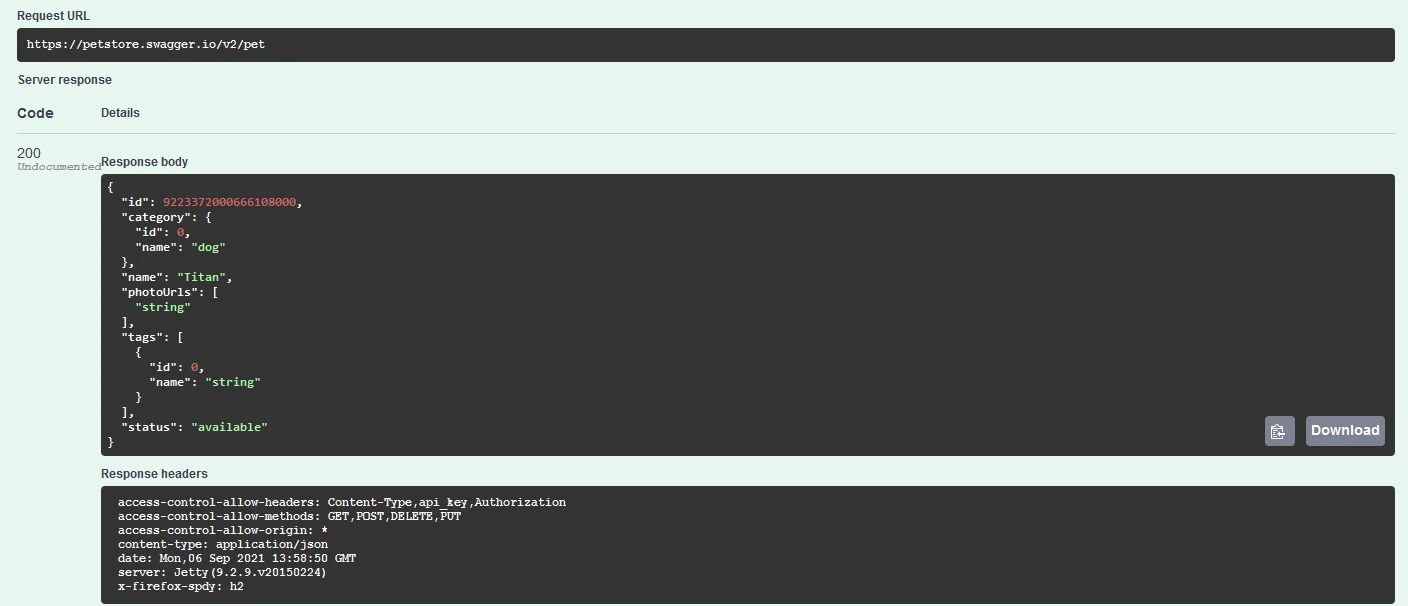
In this case it returns a 200, the response for a successful request, and it created a new pet called “Titan”.
GET (get all pets or one by ID)
We can get all pets filtered by status, or a single one by ID.
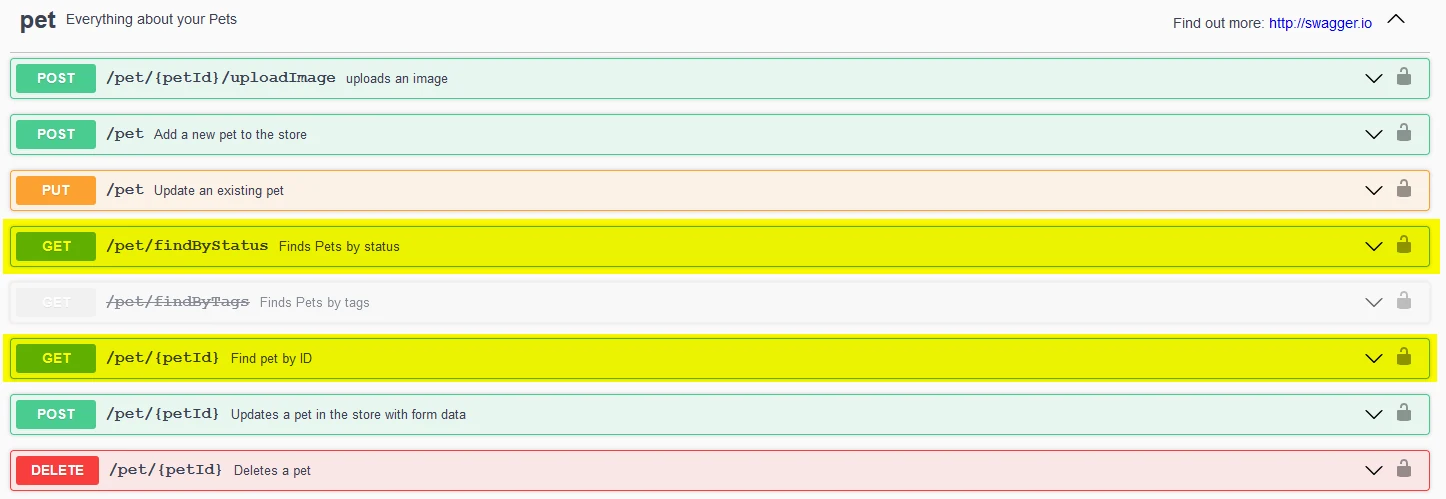
First we get them all: we select a status and click Execute.
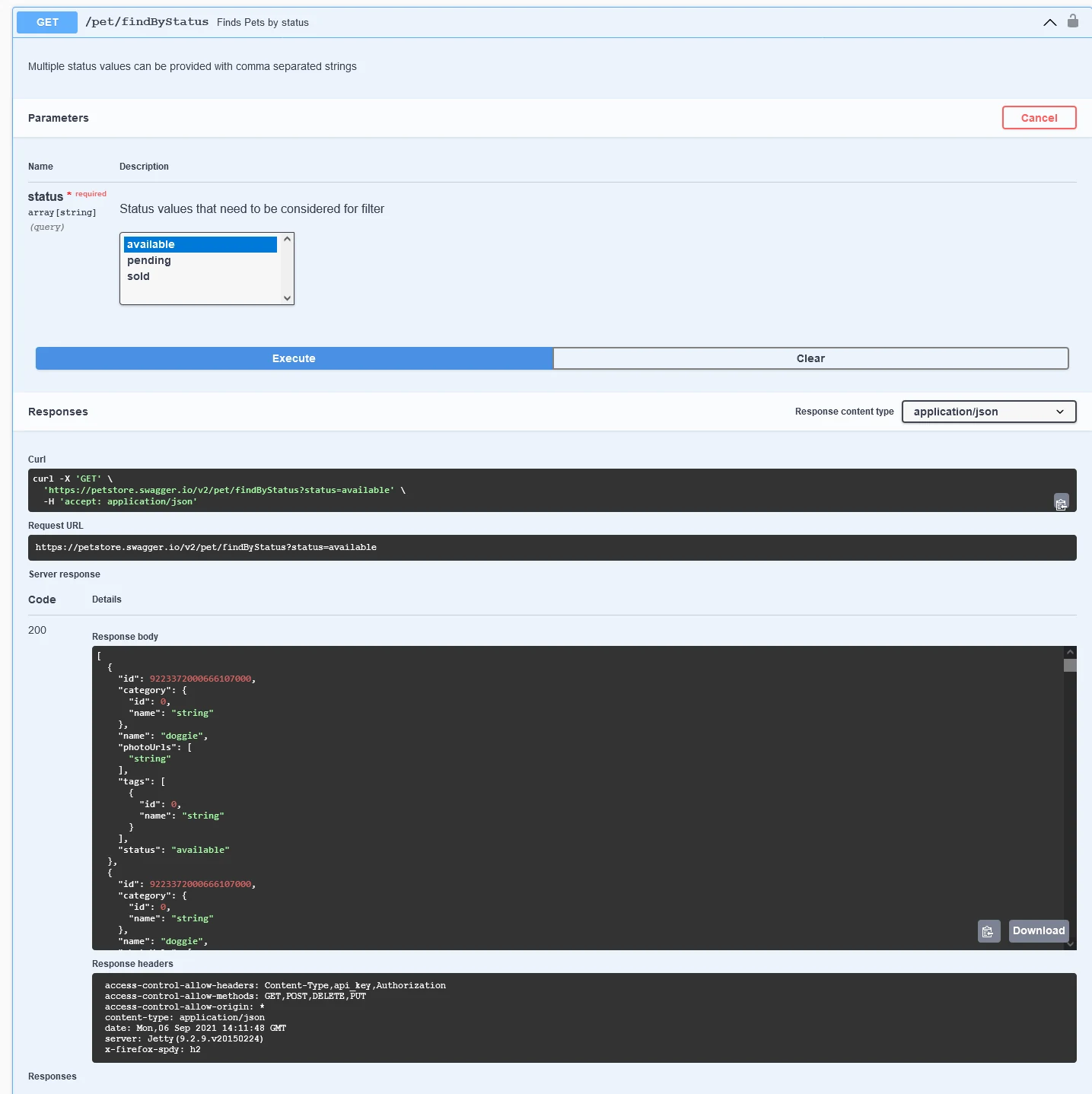
It returned every animal with that status (if the list is long it may take a while). Now we get a single one: we go to the GET that filters by petId and enter the ID of a pet.
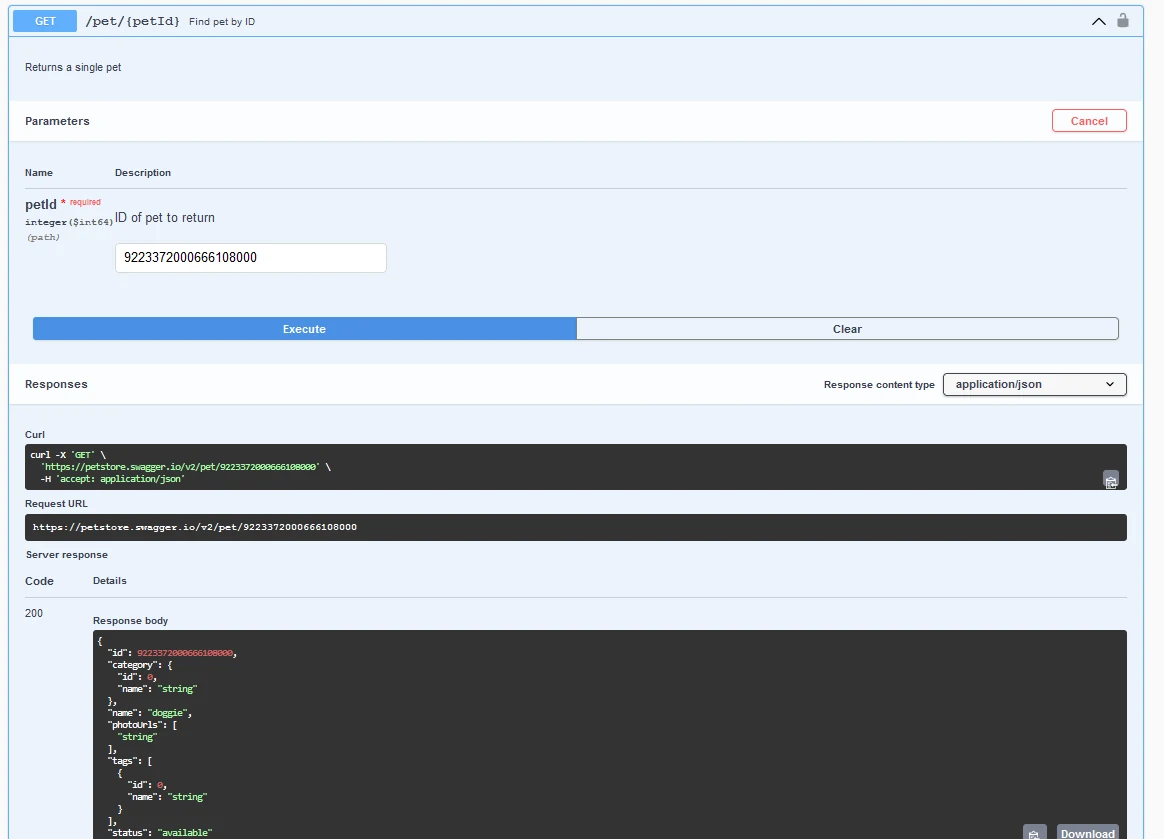
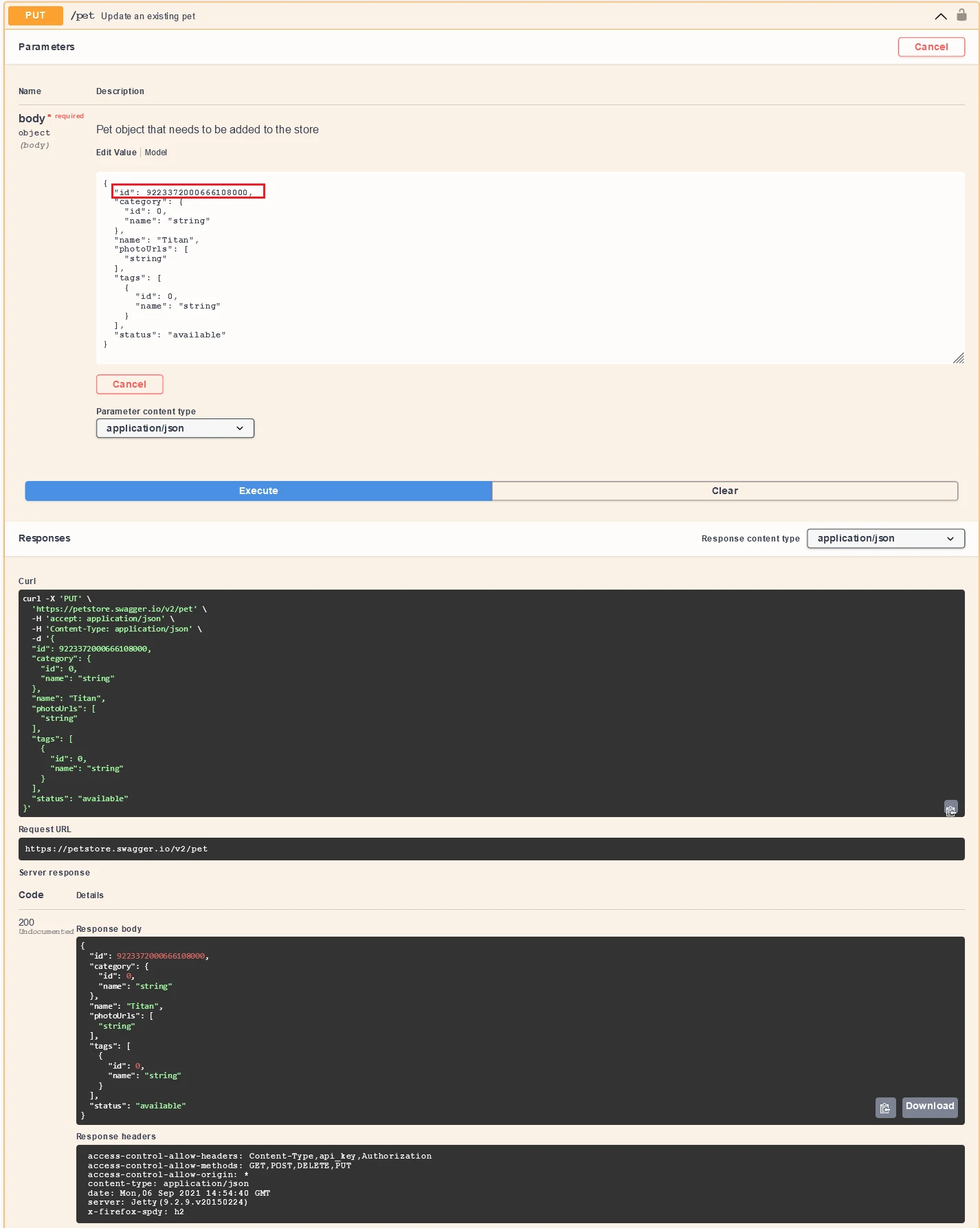
PUT (modify an existing pet)
We open the PUT method, send the new JSON with the modified data and click Execute. We must send the ID of the pet we want to modify so the changes apply to that specific pet.
DELETE (delete a pet by ID)
We just specify the petId of the pet we want to delete and click Execute.
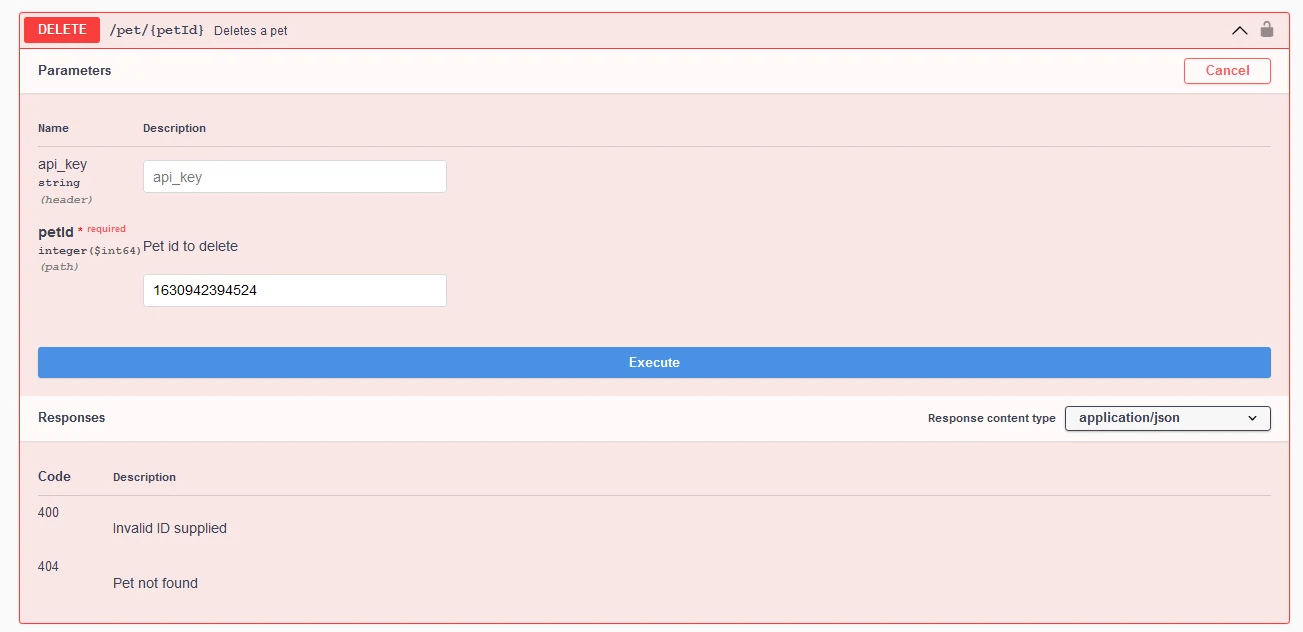
I can't show PATCH because this example doesn't include it, but the mechanism is exactly the same.
Keep in mind it won't always look like this example: since there is no single way to build APIs, fields, models, methods and so on may vary. But the mechanics for testing them are always the same.