
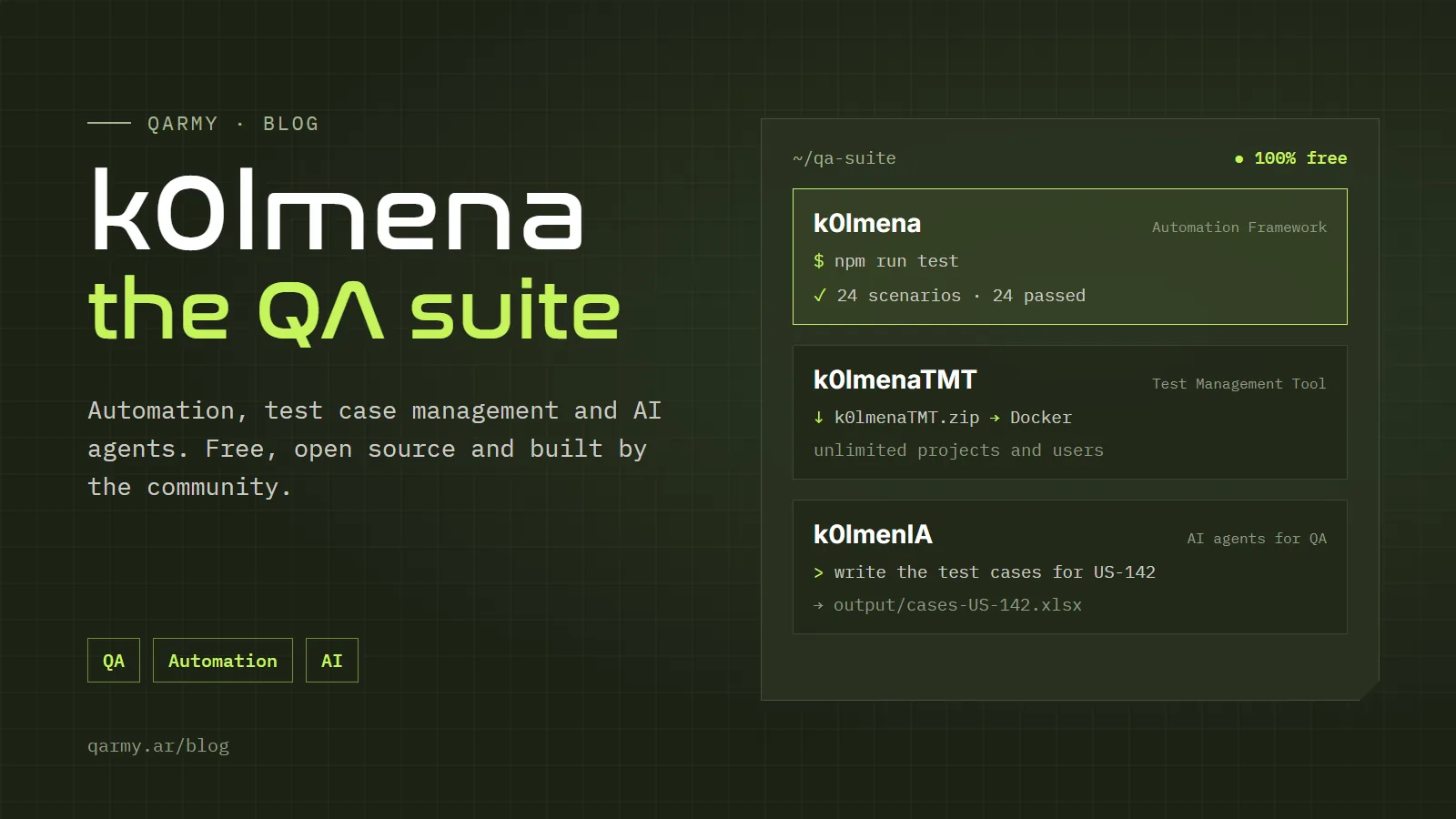
Hi everyone. Today I want to tell you in detail about k0lmena, a project we have been building at QARMY together with members of the Underc0de community, which has grown into a complete suite of tools for a QA's daily work.
The idea came from something we saw over and over in our courses and client projects: every time a team wanted to start automating, they had to build a framework from scratch, pick libraries, fight with configuration and only then write their first test. And when they wanted to organize their test cases, they ran into paid tools that charge per user. k0lmena is our answer: tools that are free, open source and designed by QAs for QAs.
What is k0lmena?
k0lmena started as an automation framework and over time grew into a suite of three complementary tools:
- k0lmena Automation Framework: to automate UI, API, mobile and performance tests from a single project.
- k0lmenaTMT: a Test Management Tool you install on your own machine or server.
- k0lmenIA: a team of AI agents that speeds up manual QA tasks, from analyzing user stories to writing the closing report.
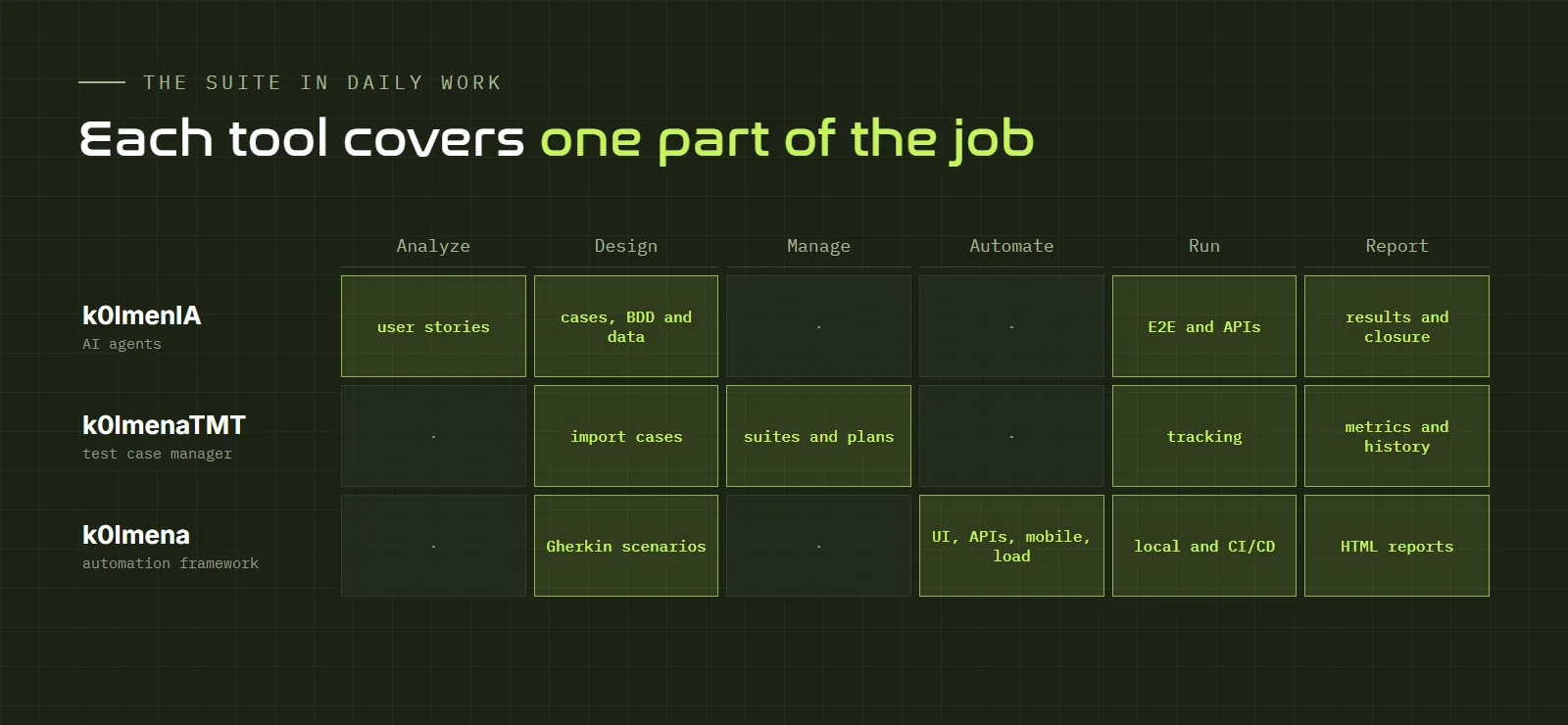
You can use each one on its own, but they shine together, because they cover different stages of quality work:
k0lmena Automation Framework
This is the heart of the suite: a ready-to-use automation framework that brings the most widely used tools on the market together in one repository, already integrated and configured. You clone the project, install dependencies and start writing tests the same day.
What you can test
| Test type | Technology | Where it lives |
|---|---|---|
| UI / E2E | Playwright + Cucumber (BDD) | src/front-test/ |
| APIs | Axios + Cucumber | src/api-test/ |
| Mobile | WebdriverIO + Appium | src/mobile-test/ |
| Load and performance | Artillery + k6 | src/performance-test/ |
Everything is written in TypeScript on Node.js, and scenarios are written in Gherkin, so anyone on the team (even a business person) can read what is being tested. A scenario looks like this:
@Smoke
Feature: Login

  Scenario: Sign in with valid credentials
    Given I am on the login page
    When I enter the user "[email protected]" and the correct password
    Then I see the dashboard with my username
The commands you will use most
| Command | What it does |
|---|---|
npm run test | Runs the scenarios tagged @Smoke. |
npm run allTests | Runs every UI suite. |
npm run report | Generates the full HTML report. |
npm run apiTest | Runs the API scenarios (@API). |
npm run mobile | Runs the mobile suite with WebdriverIO. |
npm run load | Launches a load test with Artillery. |
npm run k6:stress | k6 scenarios: there are also smoke, soak and spike. |
If you are interested in load testing, the article on performance and stress testing explains each of those test types and which metrics to watch.
Extra tools that save you time
- Crawler (
npm run crawler): walks through the application and generates locators for your Page Objects. - Link tester (
npm run link-tester): finds broken links and images. - Recorder (
npm run record): opens Playwright codegen to record actions and turn them into code. - Auto-healing: when a selector stops working because the HTML changed, the framework can fall back on alternatives it learned in previous runs. Turn it on with the
K0LMENA_AUTO_HEALINGvariable.
Per-environment configuration
Configuration lives in a .env file, so you can point the same tests at development, QA or staging without touching the code:
BASEURL=https://staging.myapp.com
BROWSER=chromium        # chromium, firefox or webkit (empty = all three)
HEADLESS=true
PARALLEL=on             # parallel execution
TRACE=on-failure        # keep traces only when something fails
This is what makes it easy to plug into a CI/CD pipeline: each environment defines its variables and the framework does the rest.
Getting started
- Install Node.js (and VS Code, recommended).
- Clone or download the k0lmena repository.
- Run
npm installand thennpx playwright install. - Set up your
.envand runnpm run test.
The full documentation is at k0lmena.com/automation (in Spanish).
k0lmenaTMT: test case management
In the test case template article I said that, when there is no management tool, a spreadsheet is enough. But as a project grows, the spreadsheet falls short: several people editing, versions overwriting each other, no history and no metrics. That is where k0lmenaTMT comes in.
It is a free test case manager that runs on Docker, on your machine or on your own infrastructure. With it you can:
- Create, organize and import test cases.
- Group them into suites and plans by module, flow or release.
- See metrics, history and the overall project status at a glance.
- Handle several projects from a single installation.
- Add unlimited users at no extra cost.
And most importantly: it is truly free. There is no premium version and no locked features. It is ideal for small teams that do not want to pay per-user licenses, for consultancies handling several clients and for companies that prefer to keep their data on their own infrastructure.
To install it, download k0lmenaTMT and run it with Docker. More information at k0lmena.com/tmt.
k0lmenIA: AI agents for QA
The newest piece of the suite. k0lmenIA is a team of AI agents for Claude Code that automates much of the repetitive work of manual QA. If you read the article on agentic QA, this is the practical way to start using it.
It works simply: you drop your material (user stories, API contracts, notes about a bug) into the input/ folder, ask for what you need and the right agent leaves the deliverable in output/. No programming required. The agents are designed to be used in Spanish.
These are the agents it includes:
| Agent | What it does |
|---|---|
| Story analyst | Detects ambiguities in user stories and suggests questions for refinement. |
| Strategy planner | Builds the test plan as an HTML dashboard. |
| Manual test cases | Generates cases in Excel and Markdown, with a coverage report. |
| BDD scenarios | Writes Gherkin scenarios in Spanish. |
| Bug reports | Turns your notes into professional bug reports using your template. |
| Test data | Creates realistic data in Markdown or CSV. |
| API test cases | Generates cases from the API contract. |
| E2E execution | Runs tests in a real browser with Playwright and produces an HTML report. |
| API execution | Runs Postman collections with Newman and reports the results. |
| Results report | Builds an HTML dashboard with the execution results. |
| Closing report | Summarizes the test round with a go / no-go recommendation. |
One key detail: you stay in charge. The agents propose and you review and decide at every step. AI speeds things up, but judgment still belongs to the QA.
What you need
- Claude Code with a Pro, Max, Team or Enterprise account.
- VS Code (recommended), Python 3 and Node.js 18 or later.
- Optional: Playwright and Newman, if you want the agents to run tests.
Installation, examples and documentation for each agent are in the k0lmenIA repository, under the MIT license.
How to combine them in a real project
To see how they fit together, picture the journey of a new user story:
- Refinement: the k0lmenIA story analyst reviews the story and gives you the ambiguities and questions to bring to the meeting.
- Design: once the story is clear, the manual cases agent generates the cases in Excel and the BDD agent writes the Gherkin scenarios.
- Management: you import those cases into k0lmenaTMT and group them into the release suite.
- Automation: the Gherkin scenarios move to the k0lmena framework, where the steps are implemented and added to the regression suite.
- Execution: the regression runs in the pipeline on every deployment; if you find a bug, the bug report agent documents it with your template.
- Closure: the closing report summarizes the round with a go / no-go recommendation, while k0lmenaTMT keeps the history and metrics.
None of this is mandatory: some teams only use the framework, and others start with the TMT because they do not automate yet. The suite is designed so you take whatever is useful to you.
Frequently asked questions
Is it really free?
Yes. All three tools are free and the code is open. There are no paid plans and no locked features.
Do I need to know how to code?
It depends on the tool. k0lmenIA and k0lmenaTMT do not require coding. The framework does require basic TypeScript to implement the steps, although Gherkin, the recorder and the crawler lower the barrier a lot.
Can I use it at my company?
Yes. You can use it in personal or commercial projects, modify it and adapt it to your needs. And if your company needs help implementing it, QARMY offers QA services.
How can I contribute?
By trying it, reporting bugs, suggesting improvements or sending pull requests on GitHub. k0lmena grows thanks to the community.
Join the community
k0lmena is a project made by and for the community. If you try it, we would love to hear what you think, what is missing and how you are using it. You can join the k0lmena WhatsApp group (in Spanish) to ask questions and hear about news first, or see everything in one place on the k0lmena page.
See you in the next article!